MICROSOFT 365 FOR BUSINESS
Bring your business ideas to life
Get the tools you need with Microsoft 365, including custom-branded email, professional apps, advanced security,
and scalable admin controls.Plus, invest in Microsoft 365 Copilot to get AI-powered assistance for work.
Find the best Microsoft 365 plan for your business
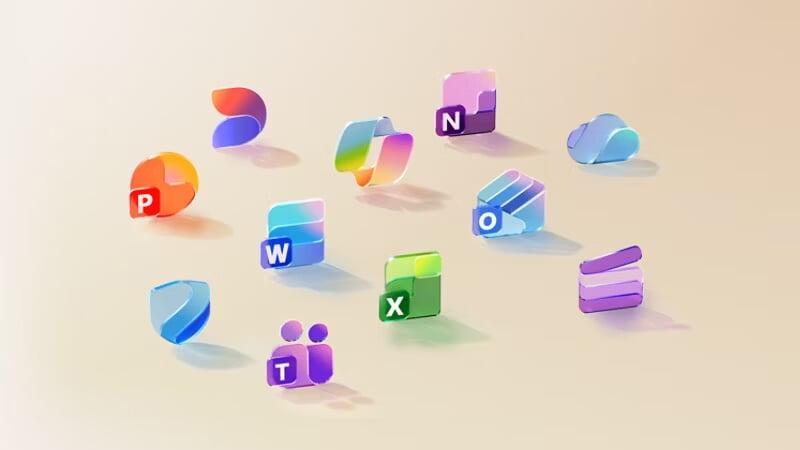
With Microsoft 365, get spacious cloud storage, advanced security for your data and devices, and powerful productivity and creativity apps with Microsoft Copilot, all in one plan
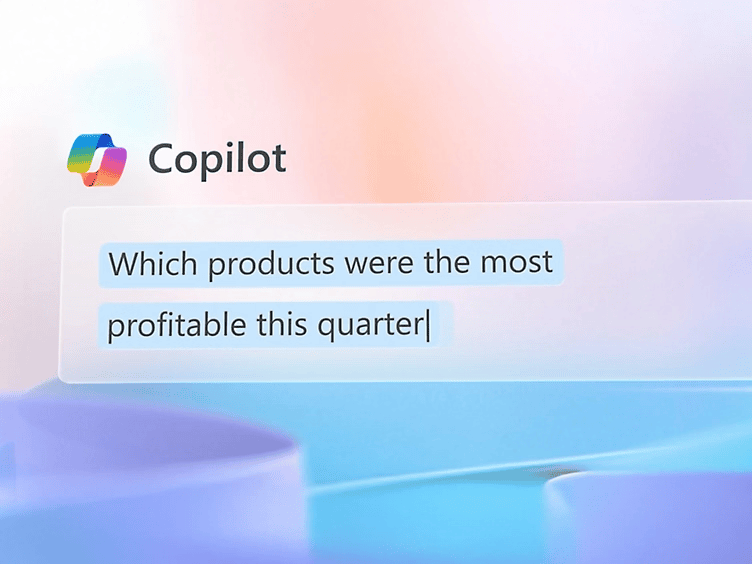
Microsoft 365 Copilot
Officially Partnered With
Officially Partnered With




Trusted by Customers Across India
We’ve successfully delivered 2,000+ orders on Amazon, shipping products worth ₹1 Crore+ to happy customers nationwide. Now enjoy the same trusted quality directly from our official website — with better prices, faster support, and exclusive offers.
We’ve successfully delivered 2,000+ orders on Amazon, shipping products worth ₹1 Crore+ to happy customers nationwide. Now enjoy the same trusted quality directly from our official website — with better prices, faster support, and exclusive offers.
10+
Year Experience
97%
Customer Satisfaction
4.5
Average Customer Rating
Safe & Simple
Secure Payments & Easy Returns
Secure Payments & Easy Returns
Also Available at




7000+ Satisfied Customers
Delivered Microsoft solutions at scale to thousands of businesses across India.
97% Customer Satisfaction
10+ Year Experience
Bringing over a decade of expertise to deliver reliable and professional service.
Technical Support Available
Microsoft-certified support team available to assist you.
Frequently asked questions
- Monthly commitment with monthly payment: Sign up for a monthly subscription and pay month-to-month and cancel at any time.
- Annual commitment with monthly payment: Sign up for a one-year subscription and pay monthly.
- Annual commitment with annual payment: Sign up for a one-year subscription and pay for the entire year upfront.
- Professional business email: Create and use a branded email address with your business domain (e.g., yourname@yourbusiness.com).
- Admin and IT management controls: Manage access, permissions, and devices through the Microsoft 365 admin center, which is designed for businesses.
- Scalability: Easily add users or upgrade plans as your business grows, with flexible licensing options that adapt to your changing needs.
- Enhanced security features: Protect your business against email phishing, spam, and malware with Exchange Online Protection. Business Premium also includes Microsoft Defender for Business, offering ransomware protection with automatic threat disruption, advanced antivirus capabilities, and tools for managing vulnerabilities.
- Advanced collaboration tools: For plans with Microsoft Teams, access enhanced features such as meeting recordings, transcription, and team workspaces optimized for business collaboration.
- Business apps: Run your business with tools such as Microsoft Bookings for appointment scheduling.
- Microsoft 365 Copilot: Available as an add-on, Microsoft 365 Copilot is an AI assistant for work that boosts productivity and creativity to help you grow and run your business.
- Microsoft 365 Business Basic provides access to lightweight web and mobile versions of apps such as Word, Excel, and PowerPoint, as well as business email and cloud storage. You can also choose between plans with and without Microsoft Teams.
- Microsoft 365 Business Standard combines powerful desktop, web, and mobile versions of apps such as Word, Excel, and PowerPoint, and additional apps such as Clipchamp, along with the same services as those in Business Basic.
- Microsoft 365 Business Premium includes all the same apps and services plus advanced cyberthreat protection and device management capabilities.
- Enterprise plan options offer increased levels of compliance and security management over business plans and provide additional business intelligence and analytics functionality. These plans are designed for enterprise customers and those with more than 300 users.
Many customers purchase a Microsoft 365 base subscription and then, depending on their needs, choose to buy any number of add-on services to round out their implementation. Additionally, customers may choose to purchase apps from one of the thousands of vendors available in the Microsoft 365 store.
Get AI features, including grammar and style suggestions with Microsoft Editor, focused inbox and suggested replies in Outlook, and live captions and meeting transcription in plans with Teams. For business users signed in with a Microsoft Entra ID, Microsoft 365 Copilot Chat offers limited AI-powered chat with enterprise data protection. While Copilot Chat uses public web data for tasks such as research and analysis, it doesn’t integrate with Microsoft 365 apps or organizational content such as files, emails, or chats. For deeper integration and extensibility, businesses should purchase Microsoft 365 Copilot as an add-on, which connects directly to productivity apps and organizational data.
Our Microsoft 365 for business base plans (charged per user) are designed for organizations with up to 300 users. Organizations with more than 300 users should consider subscribing to Microsoft 365 for enterprise plans. We reserve the right to enforce a tenant limit of 300 provisioned licenses across the family of business plans, in which case we will provide advance notice and further guidance. In the meantime, we are treating customers that have provisioned up to 300 licenses of each individual business plan (Microsoft 365 Business Basic, Business Standard, Business Premium) as compliant with this 300-seat limit. This applies even if they have provisioned more than 300 total licenses across the family of business plans.
Your data is yours. If you decide to cancel your Microsoft 365 subscription, you can download your data—for example, email and documents on team sites—and save it to another location. You should save your data before you cancel. After you cancel your subscription, data associated with your Microsoft 365 account will be available to your administrator(s) in a limited function account for 90 days.
Talk to an expert to get started
Discuss plans with a product specialist
Discuss plans with a product specialist
Learn more about our products, discuss use cases, or get pricing information.
Start a live chat to get quick answers
Start a live chat to get quick answers
Chat with an expert to get help selecting and purchasing the plan that best fits your organization.